Mobile App

Golbets77 on Your Phone — Download the App for Android and iOS

Take golbets77 in your pocket: slots, bingo, deposits via Pix and much more, all in a fast, stable app built for your phone screen. Works on any Android or iPhone device.

golbets77

Mobile Gaming Reached a New Level at golbets77

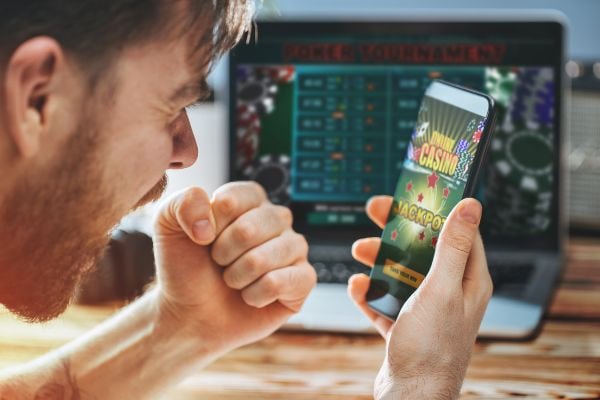
You may have noticed that playing directly through your mobile browser can sometimes fall short — the screen doesn't fit right, loading takes too long, a button ends up out of place. That's exactly why golbets77 developed a dedicated app for mobile devices.

The app from Golbets77 was built from the ground up for the reality of the Brazilian player: mobile connections that aren't always stable, screens of varying sizes, use at any time of day — on the bus, on a work break, lying on the couch before bed. All of this demands an app that responds fast and doesn't consume mobile data unnecessarily.

The Android version is provided as a direct APK file — no app store required. This means a straightforward installation with no intermediaries. For iPhone and iPad users, the Golbets77 app can be accessed through the Safari browser with the option to add it to the home screen, working like a native app with its own icon on the screen.

Whatever your device, the app experience is consistent: the same account, the same balance, the same game catalog you would access from a computer. There is no stripped-down version or reduced catalog on mobile — you have access to everything.


Choose Your App Version

Available for the two most widely used operating systems in Brazil. Choose the one that matches your device and follow the installation instructions.

Android

Direct APK · Latest version

The golbets77 Android app is distributed as an APK — no Play Store required. Installation is simple and takes less than a minute on any modern Android phone.

  • Android 7.0 or higher
  • Storage space: approx. 35 MB
  • Wi-Fi or mobile data connection (3G/4G/5G)
  • "Unknown sources" permission required
  • Works on Android phones and tablets
Download APK for Android

IOS / iPhone

Web App · Add to home screen

On iPhone and iPad, the golbets77 app works through the Safari browser using the "Add to Home Screen" option. The icon appears on your screen just like a native app — no App Store required.

  • iOS 13 or higher
  • Compatible with iPhone and iPad
  • Requires Safari browser (recommended)
  • Takes up no significant space
  • Quick access from the home screen
Instructions for iPhone

To use the golbets77 app, you need a registered account on the platform. If you don't have one yet, create your account for free. Already have an account? Log in here and download directly.

golbets77

How to Install the Golbets77 APK on Android

Installing an APK outside the Play Store is simple, but requires a quick adjustment in your Android settings. Here's how to do it correctly:

1
Enable "Unknown Sources"

Go to your phone's Settings → Security (or Privacy on some models) and enable the option "Allow installation from unknown sources" or "Install unknown apps". This step is only required once.

2
Download the APK File

Click the "Download APK for Android" button on this page. The file will be downloaded directly to your phone's downloads folder. The download takes just a few seconds on a standard 4G connection.

3
Open the Downloaded File

Go to your phone's downloads folder (or through the file manager) and tap the Golbets77 APK file. An installation confirmation window will appear.

4
Confirm the Installation

Tap "Install" and wait for the process to complete — it usually takes less than 30 seconds. The golbets77 icon will appear on your home screen or in your app drawer.

5
Log In and Play

Open the app, log in with your Golbets77 email and password, and enjoy the full catalog directly from your phone. If you don't have an account yet, create one right away inside the app.

golbets77

How to Add Golbets77 to the Home Screen on iPhone

On iPhone and iPad, there is no APK installation — but you can get the same visual result by adding golbets77 to your home screen via Safari. It's quick and takes up almost no space on your device:

1
Open Safari

On iPhone or iPad, use Safari — not Chrome or any other browser — to access the golbets77 website. The "Add to Home Screen" feature works best through Safari.

2
Tap the Share Button

In Safari's bottom bar, tap the share icon (a square with an arrow pointing up). A menu of options will appear.

3
Select "Add to Home Screen"

Scroll down the share menu until you find the "Add to Home Screen" option. Tap it and confirm the name (golbets77) on the next screen.

4
All Set — Access via the Icon

The golbets77 icon will appear on your home screen. Tap it to open the app in full-screen mode, without Safari's navigation bar getting in the way.

Tip: Keep Safari updated to ensure the best performance of the Golbets77 app on iPhone.

Everything You Need in the Palm of Your Hand

The golbets77 app is not a stripped-down version — it is the full platform optimized for smaller screens and on-the-go use.

Full Slots

Access to the full slots catalog, including Megaways and progressive jackpots.

Online Bingo

Live bingo rooms with digital cards and real-time chat.

Deposit via Pix

Make deposits via Pix directly through the app in seconds, without leaving the game screen.

Fast Withdrawal

Request withdrawals through the app with the same options available on desktop.

Notifications

Receive alerts about promotions, free spins, and news directly on your phone.

Biometric Login

Access your account with fingerprint or Face ID on Android and iPhone.

Exclusive Promotions

Special offers available exclusively for golbets77 mobile app users.

Native Dark Mode

Dark mode interface by default, perfect for playing at night without straining your eyes.

golbets77

Why the golbets77 App Is Better Than the Browser

Technically, you can play at golbets77 through your mobile browser — but the dedicated app experience goes well beyond that. See the difference side by side:

Feature Golbets77 App Mobile Browser
Loading speed Very fast Slower
Full screen without bars Yes No
Push notifications Yes No
Biometric login Fingerprint / Face ID No
Data usage Optimized Higher consumption
Connection stability Automatic reconnection Depends on the browser
Offline access (history) Yes (partial) No

Download Now and Play from Anywhere

The golbets77 app is available for Android and iOS. Register for free and have the full catalog in your pocket.

Minimum Requirements to Run the App

The golbets77 app is optimized to run well even on mid-range phones — no high-end device required.

Android

  • Operating system: Android 7.0 (Nougat) or higher
  • Minimum RAM: 2 GB (3 GB or more recommended)
  • Free space: approximately 35 MB for the APK
  • Connection: Wi-Fi, 3G, 4G, or 5G
  • Processor: any modern quad-core
  • Compatible with Android phones and tablets

IOS / iPhone

  • Operating system: iOS 13 or higher
  • Compatible with: iPhone 6s and later, iPad Air 2 and later
  • Storage used: minimal (browser cache only)
  • Recommended browser: Safari (latest version)
  • Connection: Wi-Fi, 4G, or 5G
  • Works as a PWA added to the home screen

Questions About the golbets77 Download

Yes, the golbets77 app download is completely free — for both Android and iOS. There are no fees to download or install the app. The only cost involved is your mobile data plan when downloading the file, which is small (around 35 MB on Android).

Online gambling platforms face publishing restrictions on some app stores, such as the Google Play Store. For this reason, golbets77 distributes the Android app directly as an APK — which is a common and safe practice in the industry. The official APK file is the only one made available on this page; avoid downloading from unofficial sources.

The official golbets77 APK, made available on this page, is digitally signed and verified — it is safe to install. To protect your security, always download the app exclusively from this official page. Never install APK files sent via WhatsApp, Telegram, email, or third-party links claiming to be golbets77, as they may be malicious.

This message appears because Android, by default, blocks installations from outside the Play Store. To fix this, go to Settings → Security (or Privacy) and enable "Install apps from unknown sources" for your file manager or browser. Then try installing again. On some Samsung models, this option is found under Settings → Biometrics and Security → Install unknown apps.

Yes. The golbets77 account is unique and synced across all devices. You can log in on the mobile app and the desktop browser using the same credentials — the balance, transaction history, and account details are the same everywhere. There is no need to create separate accounts for mobile and desktop.

The Golbets77 team periodically releases app updates to fix bugs, improve performance, and add new features. When a new version is available, you will see a notification inside the app itself. It is always recommended to keep the app updated to ensure the best experience and the latest security features.

Attention: The golbets77 app is intended exclusively for users aged 18 and over. Play responsibly and set deposit limits within the app. For self-exclusion tools and spending controls, visit Responsible Gaming. Download the app only from this official page — be wary of links sent by third parties.

Português (Brasil)